One click instead of copy-paste
Next to every EmDash entry you see which languages are missing. One click creates the draft in the new language.
LinguaDash translates your content right inside the EmDash editor: one click for the draft, one to publish. You don't export anything or maintain spreadsheets, and the plugin is free.
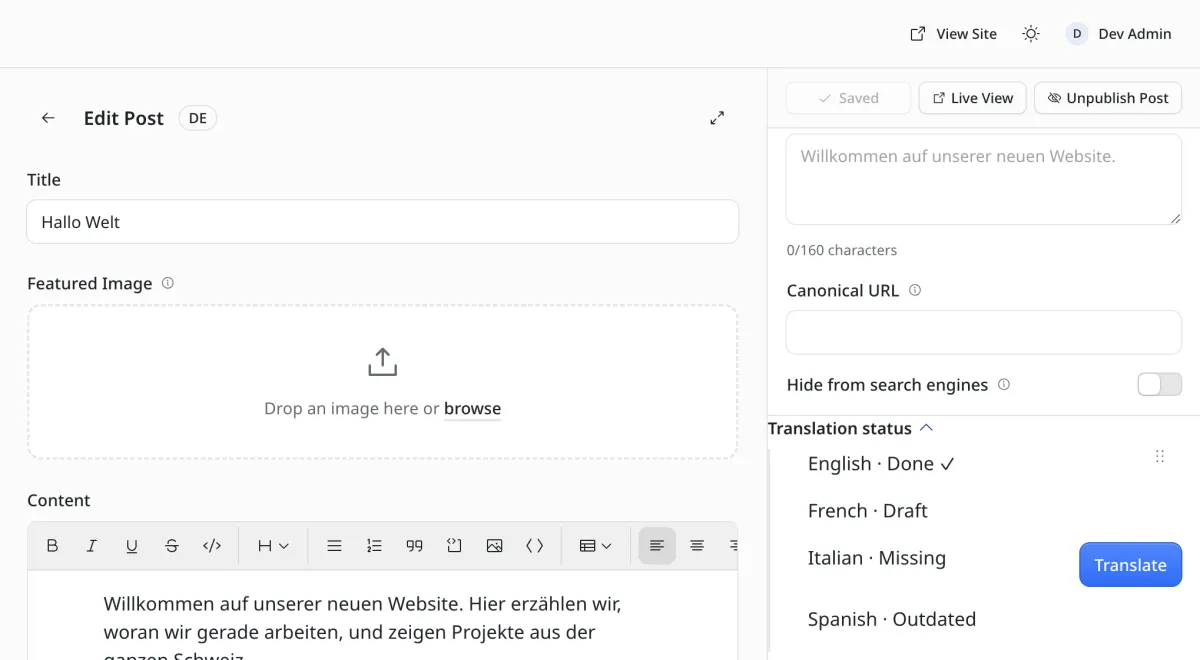
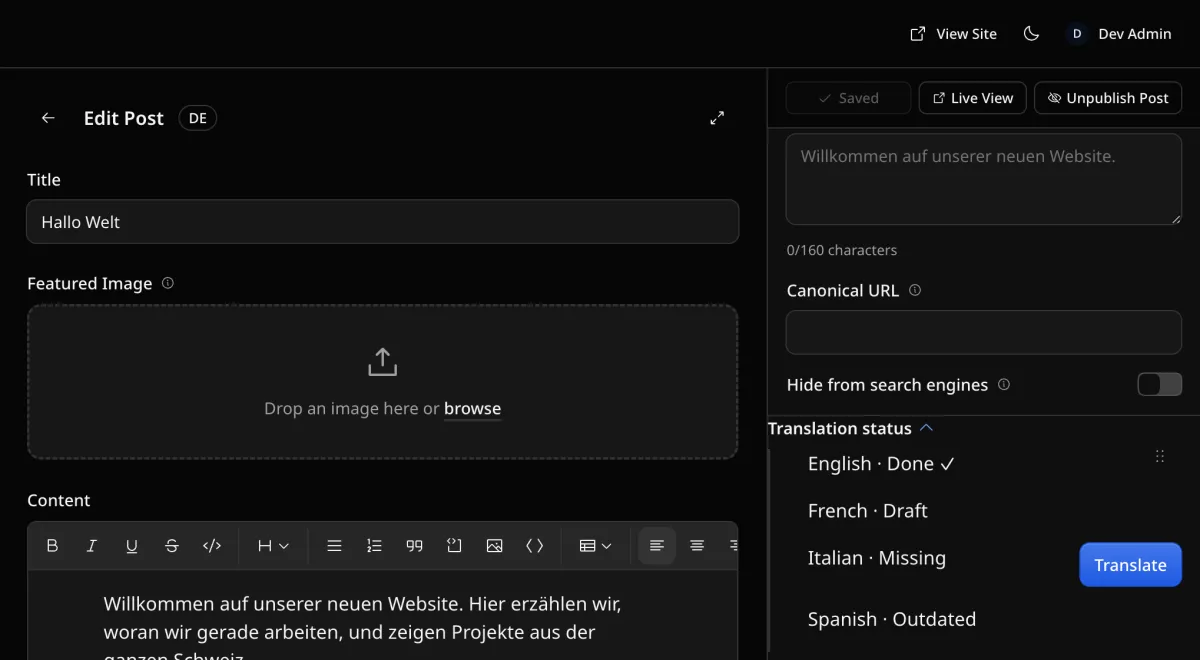
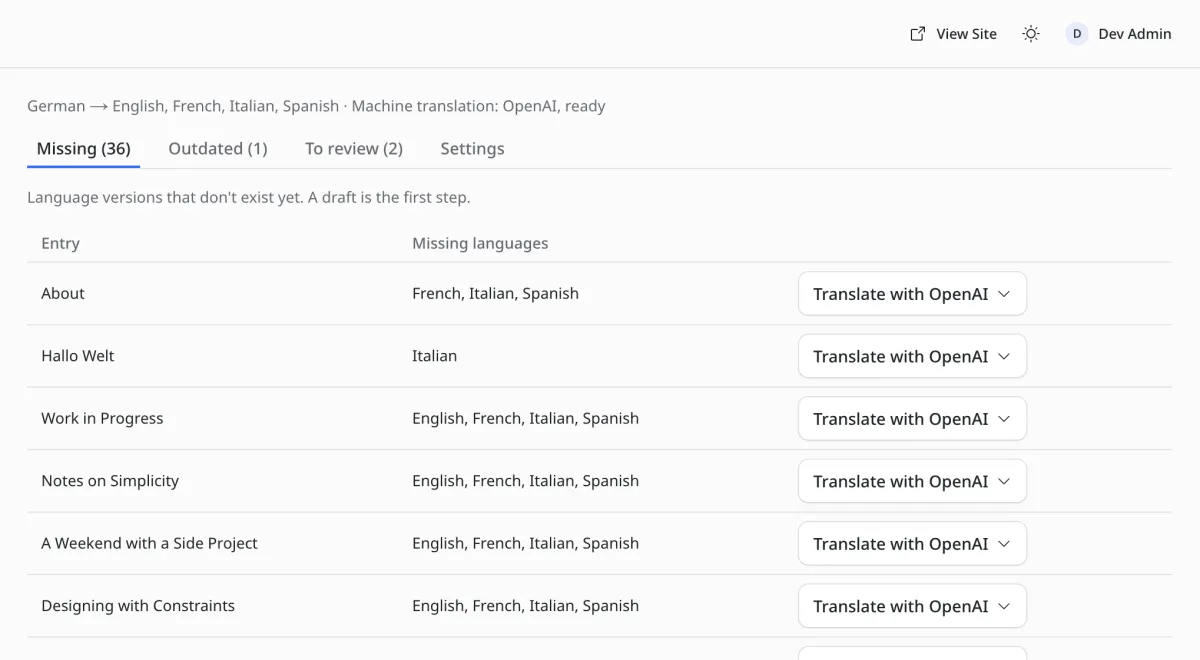
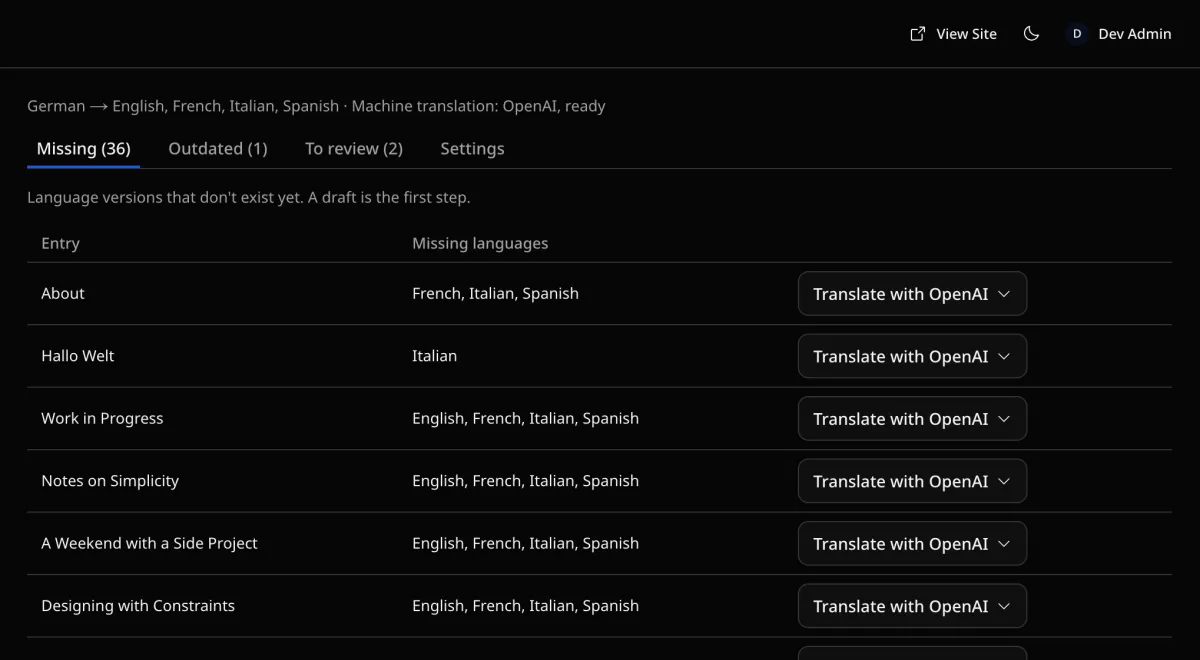
Next to every EmDash entry you see which languages are missing. One click creates the draft in the new language.
DeepL, OpenAI or Cloudflare AI Gateway translates for you. Formatting, links and images stay intact, and nothing goes live until you approve it.
The included language switcher links every page to its translations. Search engines get hreflang for free.
Change the original and LinguaDash marks its translations as outdated, so you see right away which languages need updating.
Every translation is a regular EmDash entry. Remove the plugin and all languages stay online.
Each language gets its own URLs and hreflang links, so Google can show every visitor the right version.
Use your own DeepL, OpenAI or Cloudflare account. We add no per-word markup, and your content never passes through us.
The plugin is MIT licensed, with no subscription and no cap on words or languages.
In the EmDash admin, open “Registry”, search for LinguaDash and click “Install”.
Pick your languages and a translation service, then click “Translate” next to the entry.
Give the draft a quick review and publish it.
Or as an npm package:
Terminalnpm install emdash-plugin-linguadashastro.config.mjsimport linguadash from "emdash-plugin-linguadash";
export default defineConfig({
i18n: {
defaultLocale: "de",
locales: ["de", "en", "fr", "it", "es"],
},
integrations: [
emdash({ plugins: [linguadash] }),
],
});LinguaDash is made by Kevin Kyburz of this:matters, an agency in Switzerland. Kevin is a maintainer of the EmDash project. More than 100 of his pull requests have been merged into EmDash, some of them for the language fallbacks and hreflang links LinguaDash relies on. When something changes there, we know early. He also writes The Weekly Dash, a weekly blog about EmDash.

Kevin Kyburz
Maintainer of the EmDash project · this:matters
It runs on EmDash and is translated with LinguaDash. Pick a language to see the page the way your visitors will.


